GUIDE FOR VENUES
HOW TO CREATE A COLLAB
Get influencers to visit your venue in 4 simple steps. It is free and takes about 2 minutes.
- 1
Sign up and add your venue
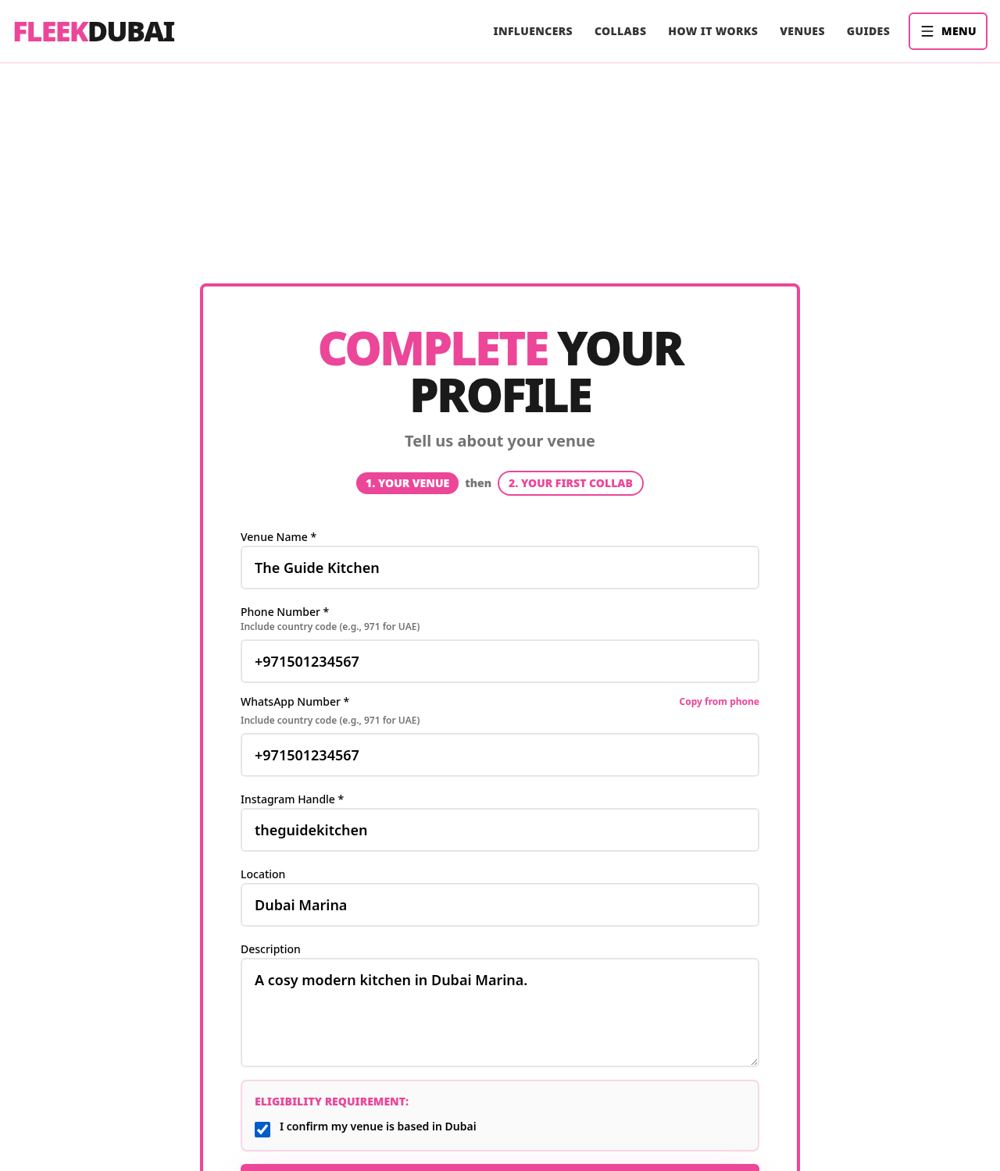
Create a free venue account, then fill in your venue name, phone, WhatsApp number, Instagram handle and area. Tick the Dubai box and press Next. This only happens once.
- 2
The Create Collab form opens for you
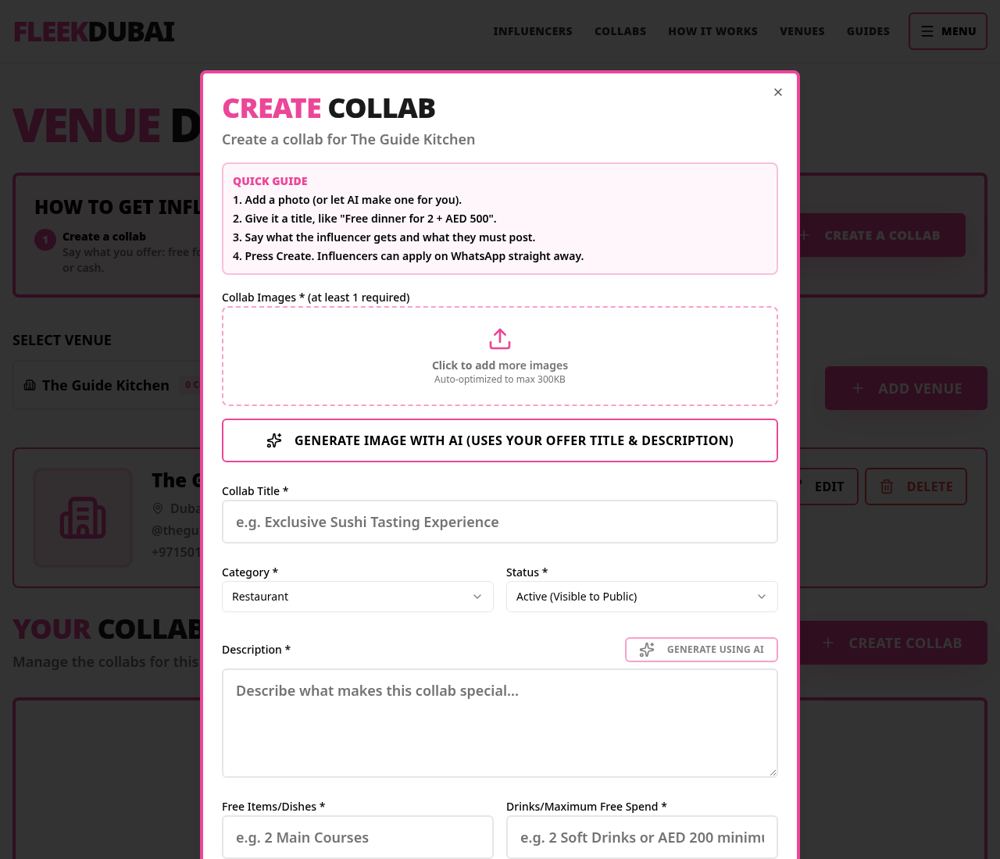
Straight after signup the Create Collab form opens by itself. Any time later, press the pink CREATE A COLLAB button at the top of your dashboard. Add at least one photo, or press Generate Image with AI if you do not have one.
- 3
Fill in what influencers get
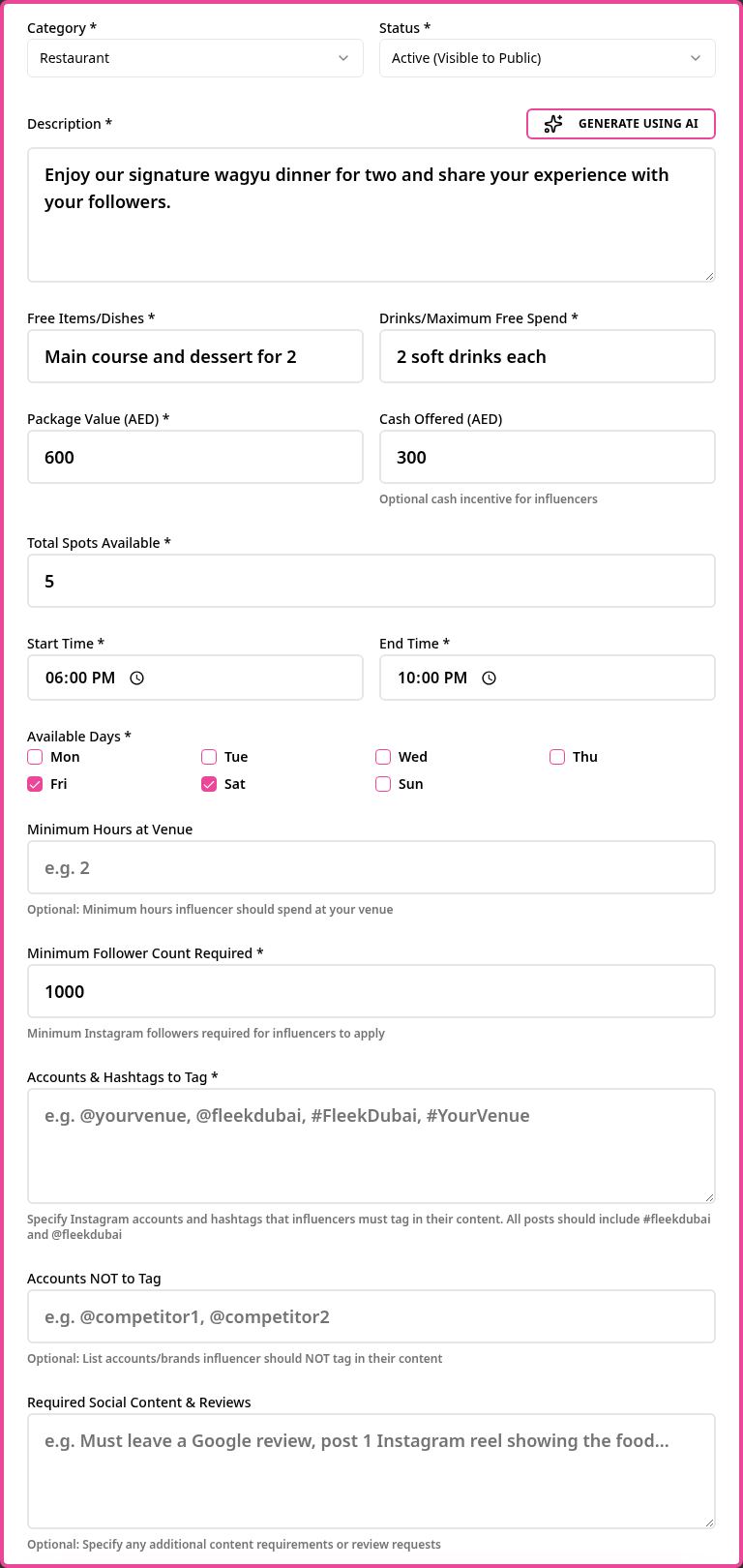
Give it a clear title, like "Free Dinner for 2 + AED 300". Say what food and drinks are included, the value, any cash you offer, how many spots, the times and days. Add the accounts and hashtags they must tag. Not sure what to write? Press Generate Using AI for the description.
- 4
Press Create and your collab is live
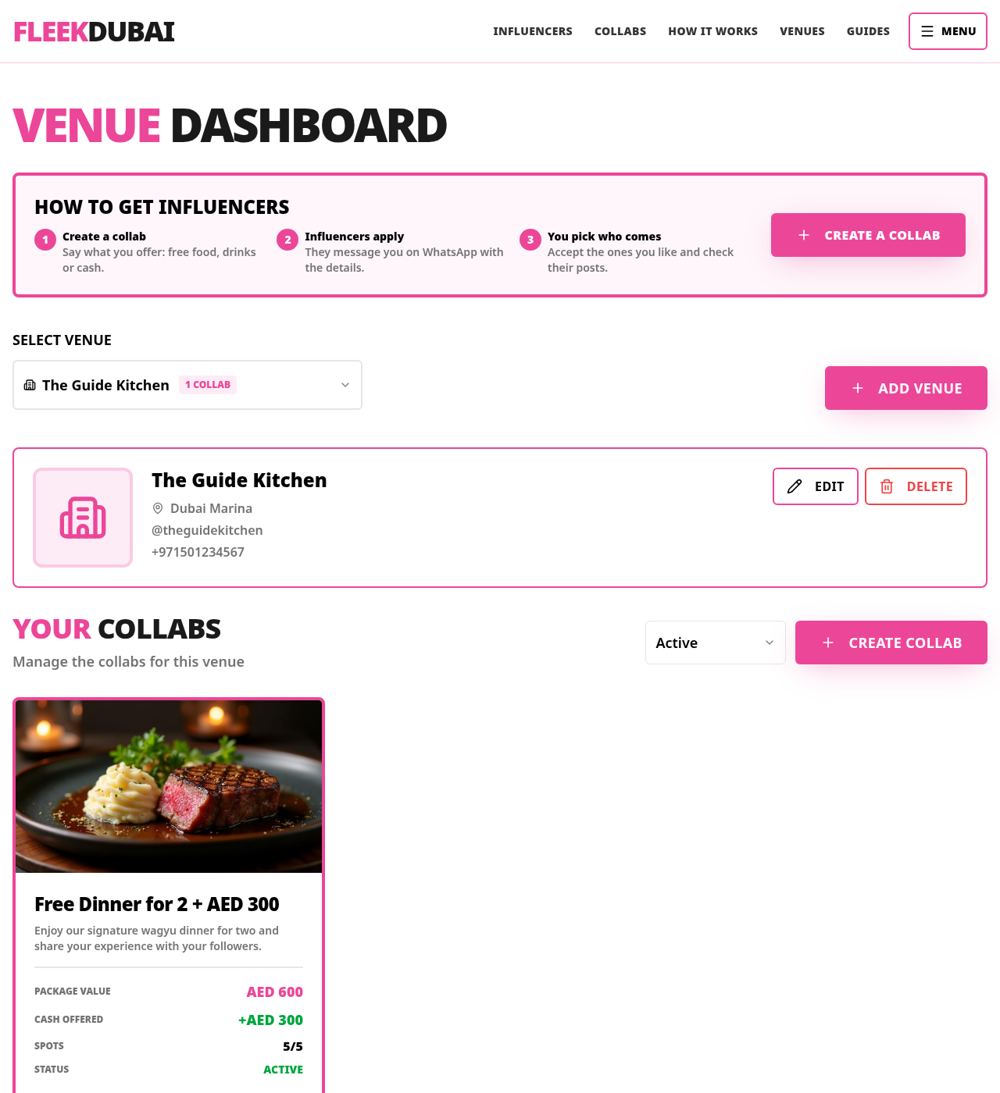
Your collab shows on your dashboard and on the public Collabs page right away. Influencers message you on WhatsApp to apply, and you choose who to accept. You can edit, pause or close it at any time.
QUICK QUESTIONS
Does it cost anything?
No. Creating collabs is free for venues. There is no subscription or commission.
How long does it take?
About 2 minutes once your venue is added.
Who chooses the influencers?
You do. Influencers apply and you accept only the ones you want.
Can I run more than one collab?
Yes. Create as many as you like, for each of your venues.
Want the full picture? Read How It Works.